Advertise Here

Support our Sponsors

Sunday, March 2, 2014

A Few Thoughts On Free Windows

Hot damn, changes. ZDNet and The Verge reported on a story that, at first blush, sounds downright strange: Microsoft may do away with charging for Windows in the future.

Microsoft selling Windows to OEM partners is even more entrenched than apple pie is to Americanism. No more of that? It’s almost unthinkable.

However, once you get past the oddity of the concept, it can make sense if you approach it properly. Let’s do this in a section-list format for brevity:

1. Microsoft has made billions selling Windows to consumers through its OEM partners. It now also sells Windows to consumers on devices that it builds. This means it has new ways to monetize a New PC To Consumer.

2. The era in which Microsoft made the bulk of its Windows income is not now. Windows OEM revenue is falling. If it weren’t for corporate PC sales, the top line that Microsoft derives from Windows would be in even faster decline. And those dollars are more based on the end of Windows XP than market appetite for new computers and Windows itself.

3. Zero-cost OS competition poses a real, if yet un-material, threat to Microsoft. Chromebooks can sell for less because they don’t include an OS fee to Google. Windows-based devices need to compete on price, and given razor-thin OEM margins, Microsoft puts hardware firms in a tough spot; if you can make more per device selling Chromebooks over Windows-based laptops, what are you going to spend more time working on?

4. Microsoft, noticing that pressure, is said to have dramatically cut the price of Windows on lower-cost devices. This helps OEMs, and lowers — possibly — the consumer price of Windows-based devices.

5. In for a penny, in for a pound. If Microsoft is lowering the price of Windows in a specific context, what would it look like if the company stopped charging for it altogether? At the moment, it would be a financial catastrophe for the firm. OEM revenues totaled more than $5 billion in Microsoft’s most recent fiscal quarter.

6. So what can Microsoft do? Move in steps. Name another Microsoft product that it is transitioning from a single lump payment to a new revenue model. Office. And that’s going pretty well. But instead of deleting the traditional Office SKUs from its lineup, Microsoft is instead letting the past ease over to the future at its own pace.

7. This brings us to Windows With Bing. Paul Thurrott has a few good ideas on how Microsoft could afford to release a version of Windows for free. It would have to generate at least its OEM fee, perhaps over no more than a two- or three-year basis. Possible? Perhaps with a combination of search revenues, OneDrive storage fees, advertising in Bing apps, and so forth. But for those various revenue streams to be able to reach parity with a direct OEM fee will take time.

8. It’s worth noting that Microsoft is working to move the monetization of Office to a direct-fee service. You use it, you pay. With Windows, the idea appears to be different: Use Windows, and you get it for free; we’ll make the money up from you along the way.

9. Microsoft can’t afford to give away Windows yet. But once the above-listed revenues become mature, it can. There is a gaping time gap betwixt the two. Microsoft didn’t ax standalone Office SKUs, allowing Office 365 to grow without too much pressure. It is similarly likely that the company will introduce very targeted free Windows 8.x SKUs to both test, and prove that it can recoup lost OEM incomes to itself, and investors.

10. 100GB of OneDrive is 50 bucks a year. That’s what Microsoft got for a Windows license, if scuttlebutt is accurate. That points to a future in which Microsoft might be able to eat off services and give Windows away for free. Philosophically, does that lower the importance of Windows at Microsoft? In a sense, but I think that we should start to think of Windows not as a software layer on top of hardware, but instead as the layer between devices and services.

You know, that new Microsoft business model.

[via techcrunch]


--

Saturday, March 1, 2014

Heart rate By Runtastic Brings the Heart Rate Monitor feature of Samsung Galaxy S V to all Android Phones

When Samsung announced the Galaxy S V, the focus this time was on health and how Samsung would gel it’s consumers to live a healthier lifestyle. Call it a  gimmick or otherwise, the heart rate monitor on the back of the device right next to the LED flash is a first for the mobile smartphone industry. We can see the usefulness of the heart rate monitor especially if you like to take your smartphone to the gym for a workout with you.

Heart rateHowever, did Samsung really need to add an extra sensor to the device given there exist apps in the Play Store that do a very decent and accurate job of monitoring your heart beat. One such app is Heart Rate by Runtastic, let’s look at the app in detail:

Availability and working of the app

Heart Rate monitor on Android23-27-58The application has a lite version that is available for free in the Google Play Store while there is also a paid version of the application for Rs 100 which basically allows you to take more than three readings in a day and sends you timely reminder to check your heart beat rate. However, for all practical purposes, we found that the Lite version works pretty well and is more than sufficient.

Play Store: You can download the free version of the application from here 


The application works by concentrating light beams on your skin which is lit by triggering the flash. Using the inbuilt algorithms which read the beats of the heart given the skin becomes partially transparent, the application is able to give a very accurate reading of your heart beat. And having tested the app personally against a standalone heart rate monitor, we can vouch for the accuracy.

Heart Rate monitor on Android01-59-07Using the application is super simple, you just have to press the centre circle to start in the app and place your index finger on top of your Camera and LED sensor which will automatically light up. Half way through the 5 second test, you will start seeing live readings of your heart beat and soon the results will appear.

What does the App Bring?

The app obviously monitors the HBPM or the heart beats per minute but apart from that brings some really nifty features to the table. It brings the ability to share your HBPM to their website at (https://www.runtastic.com/) where you can store as well as analyse the entire data. You also get a nice history graph which allows you to have a comparative analysis of your most recent results so that you know how you are performing on a day to day basis.

Heart Rate monitor on Android23-05-17
Once you are done taking your test, you can also set the situation in which you took test which could be post a cardio workout, post a run or just general. You can also set your mood how it was, so you know how differently your heart beats when say you are sad or happy. This is pretty useful feature as well. You also have the ability to share the result of the test directly to social networks such as Twitter. So, not just a Heart Rate Monitor, the application is a proper record keeper for your heart beats.

What does the app lack?

The only thing we could point out in the app that we would have liked would be an option of a dark theme. Often when you check the HBPM after running early in the morning or late at the night, the white background really hurts your eye. Apart from that, the application is really well made. The UI is very much in sync with the whole Holo or minimalistic design and there were no app crashing in our time with the app. Needless to say, we whole heartedly recommend the app, and hey, who knows, it just may save you thousands of dollars if you were going to pick the GS V just for that heart monitor.

[via techsplurge]


--

Flap off, data thieves! Practice safe Androiding

Android's increasing popularity comes with a price -- malware. Jack Wallen offers up his best practices to help you keep your Android free from malicious software.


Safe Androiding 

In 2013, more than 42,000 apps in the Google Play Store contained some form of malware -- from spyware to information-stealing Trojans. Some of these apps were known to snag a device ID, while others were busy bypassing security features (using a Trojan called Air Push) to subscribe a device to premium content. The apps ranged from games to personalization to entertainment. The problem most Android users faced was how to use their devices safely.

Before you panic and jump off the Android bandwagon, know that the statistics for the malicious software were collected by a company called RiskIQ. In order to qualify as a risk, a piece of software could:

  • Collect and send GPS coordinates
  • Contact lists and e-mail addresses to third parties
  • Record phone conversations and send them to attackers
  • Take control of the infected phone
  • Download other malware onto the phone

There are some legitimate pieces of software that require the first two in the list, so you have to understand that a portion of that staggering 42K number are collateral damage to RiskIQ's study.

With that in mind, what is the best way for Android users to practice safe “Androiding” and avoid releasing sensitive data into the void, damaging costly hardware, and wasting precious time with a downed device? Here are a few tips.

Use caution when installing apps

When I’m looking for an app, the first thing I do is examine the producing company. If there are two apps that I'm considering and one is produced by a known entity, I’ll choose that option first -- but I still use caution. 

Let’s take a look at the recent Flappy Bird fiasco. The game became an enormous hit, and then it was taken down by its creator. Shortly after the take down, a number of imposter apps appeared, claiming to be the original. However, if you install one of those imposters, well... you’ll be flapping your bird to some form of support to help disinfect your device. So, how do you avoid this type of disaster?

Again, use caution. Say you search for Flappy Bird, and you find a number of apps in the Google Play Store claiming the same name. Avoid all of them. In nearly every case, you'll find these apps taking advantage of something -- either public ignorance or high demand. This is especially true when an app soars to such high popularity as Flappy Bird.

The next step, when installing an app, is to pay careful attention to the app permissions during the installation process. I’ve watched so many users simply tap Accept (after tapping Install) without reading the warning. That information is there for a reason.

If you’re interested in downloading a simple game, like Flapy Bird (notice the missing “p”... that’s good intel), and it insists on having your phone status and identity, do not install that app. Figure A illustrates the App permissions window. In this instance, Beats Music is being installed.

Figure A


Figure A 
Beats Music being installed on an AT&T-branded Motorola Moto X.

Read the reviews

One of the first things I do when I locate an app that I want to install is read the reviews. Jump straight to the 1-Star reviews and see if there's any mention of malware or suspect behavior. If an app is heralded as a “must-have” and you find no mention of problems, the app may be safe to use -- but never assume.

If you find nothing in the reviews, check out the developer. If the app was not created by a reputable company, don’t assume that lone developer is out to steal your soul. If you find yourself wanting to install such an app, do a bit of research on the app and/or the developer. This could be as simple as running a Google search on the developers name or the app name. If any hits appear that indicate the app should be avoided, trust your instincts and avoid the app.

Google Play vs. third-party apps

At one time, I would have insisted that users never install an app outside of the Google Play Store. This is clearly no longer as safe a bet as it once was. Even still, with the Android’s ability to install apps from outside of the Google Play Store, you must exercise a great deal of caution when doing so. Do not just search for an app on Google and then install it when you find an .apk file. Unless you know with 100% certainty that the app is safe, avoid side-loading (installing .apk files from outside of the Google Play Store).

Install a well-known anti-malware solution

At one point, years ago, I was inclined to say that Android had no need for anti-malware or anti-virus software. That is no longer the case. You should have at least an anti-malware solution on your device. I highly recommend Malwarebytes. This particular solution does a great job of detecting malware (including spyware and Trojans). It’s free and won’t slow your device down or install unwanted features. 

But it’s not enough to just install a tool like Malwarebytes. This particular take on the anti-malware solution is not a real-time tool (which is why your device won’t slow down). To that end, you must manually run the tool and do so on a regular basis -- either after every app installation, nightly, weekly, etc. That anti-malware solution could quickly save you from having to deal with a factory reset -- or worse.

The Android platform is quickly evolving into one of the most widespread platforms for mobile computing. That massive rise in popularity means more targets for nefarious deeds. With a little caution and care, you can avoid falling victim to rogue developers who are out to steal your information.

What are your best practices with the Android platform? Do you exercise great caution, or do you toss caution out the window and dare some malicious software to steal your data?

[via techrepublic]

Here Are 4 Reasons Why Windows XP Users Should Switch To Lubuntu!

It’s the end of an era. On 8 April 2014, almost 13 years of official support for the much-loved Windows XP will come to an end. Even as the world prepares to bid adieu to the renowned OS, a new survey conducted by Tech Pro Research has revealed that almost 11 per cent of organisations that lived and breathed on XP will eventually switch to Linux. Lubuntu for instance is a free, Linux-based operating system that supports a wide range of computers and hardware.

Windows XP, Lubuntu, anti-virus software, Linux, Lubuntu 14.04, malware, layout, Mozilla Firefox
Here are 4 reasons why Windows XP users should switch to Lubuntu!

1. Lubuntu is Maintained and Supported

Lubuntu 14.04 is due for release this April. The release will come bundled with critical bug fixes and security updates until probably 2017. Following 2017, you always have the choice to upgrade to the next major release for free of course!

2. Lubuntu is Secure

You don't need to install anti-virus or malware protection software on Lubuntu unlike Windows. Being Linux Lubuntu makes it very hard for viruses to run. Until and unless you install some suspicious software, you’re virtually immune to any sort of threat.

3. Lubuntu Looks and Feels Familiar

One look at Lubuntu and you'll be reminded of Windows XP's layout. There's the familiar 'start menu', and the 'Quick Launch' as also the ‘System Tray‘ and clock toward the end.

4. Your Favourite Applications Are Available

A good many number of applications you’re used to using on XP will be available on Lubuntu.

-For browsing the web there is Mozilla Firefox installed by default, Skype is available for video calls and so on.

-Microsoft Office isn’t available natively on Linux, but there are a set of office applications that are compatible with Microsoft Office documents.

Source: omgubuntu


--

Get Free Facebook Likes

No matter how many Facebook likes your page has, there is always a room for more. And this is why I created a web application where Facebook page owners can get unlimited Facebook likes for free. The concept is very simple, you get points to like Facebook pages of others, and then these points are spent to get likes for your Facebook pages.

This benefits all the users of the application and you can get any number of Facebook likes you want.

How To Use The App (Mstoic Social)

  1. Register Your Email Account

    You need to register a free account at Mstoic Social To Add Your Facebook pages to our database. Registeration is also necessary so that your points can be added to your account whenever you like any Facebook page created by other people using the app.

    To give a kickstart to your page, we give you 300 points when you register a new account.

    LINK: Register at Mstoic Social

  2. Authorize The Facebook App

    To enhance security, I made a small Facebook app to see all the Facebook pages you are an administrator of. This prevents anyone other than the Facebook page admins to add the Facebook page to their Mstoic Social account.

  3. Like Facebook Pages And Receive Facebook Likes

    Once you authorize the Facebook app, you can start liking pages of others. Every time you like a page, you are awarded 9 points. The updated points are shown to you as soon as they are updated.

You get 9 points for every Facebook page you like and 10 points are deducted for every like your page receives. That means for every 10 pages you like, your page will receive 9 likes. So start liking pages by others and get free Facebook likes for your page.

LINK: Mstoic Social


--

Friday, February 28, 2014

Windows 8.1 update due in spring with concessions to mouse and keyboard users


BARCELONA—At a Sunday press event prior to Mobile World Congress, Microsoft vice president Joe Belfiore led with bright news about Windows 8: Microsoft has sold 200 million licenses (more than all of OS X’s user base, he noted); users have downloaded 4 million apps from the Windows Store; and 40 percent of Windows 8 machines are touch-enabled.

But for the 60 percent of Windows 8 machines still not touch-enabled, Belfiore conceded, users’ “satisfaction level is lower.” So when the Microsoft executive confirmed rumors of a Windows 8.1 update this spring, he also detailed three major improvements that would come with it. First and foremost will be features to give mouse-and-keyboard diehards a break.

Specific user interface changes will include what Belfiore called “discoverable Search, Power, and Settings,” meaning these three features would be visible on the Start screen. There will also be a new mouse UI for right-clicking to start and close apps, and you’ll be able to launch and switch apps from the taskbar.

mwc 2014 microsoft event joe belfiore nick parker Image: Melissa Riofrio

Belfiore, right, is Microsoft's corporate vice president and manager for Windows Phone Program Management.

Belfiore also made a pointed reference to the rumors that Microsoft might dial back some of Windows 8’s more finger-friendly aspects. “We love touch,” he proclaimed, and “we have no intent to degrade the touch experience.” But he clearly wanted to placate legacy mouse-and-keyboard users: “Our measure is, Did we make things better for people without touchscreens?”

Windows 8 is also being re-tuned to allow for somewhat more lenient hardware specs—and therefore, lower prices for end users. Belfiore said hardware partners would be able to build machines with 1GB of RAM and 16GB of hardware storage. While Belfiore didn’t provide any detail about actual products, those baseline specs would seem to provide room for lower-cost Windows tablets.

“This is work we have in progress now,” Belfiore said in closing, offering no further details. However, in the Q&A that followed, he emphasized that Windows RT very firmly remained part of Microsoft’s picture.

Belfiore’s statements were echoed in a blog post that also appeared this morning.

[via pcmag]

64-bit smartphones are coming, but Apple's iPhone 5s still stands alone


iPhone 5s monolithsobile World Congress this week, Apple’s iPhone 5s remains the only 64-bit handset available. But with new chips announced at the show and 64-bit Android now ready, competitive handsets are only a few months away.
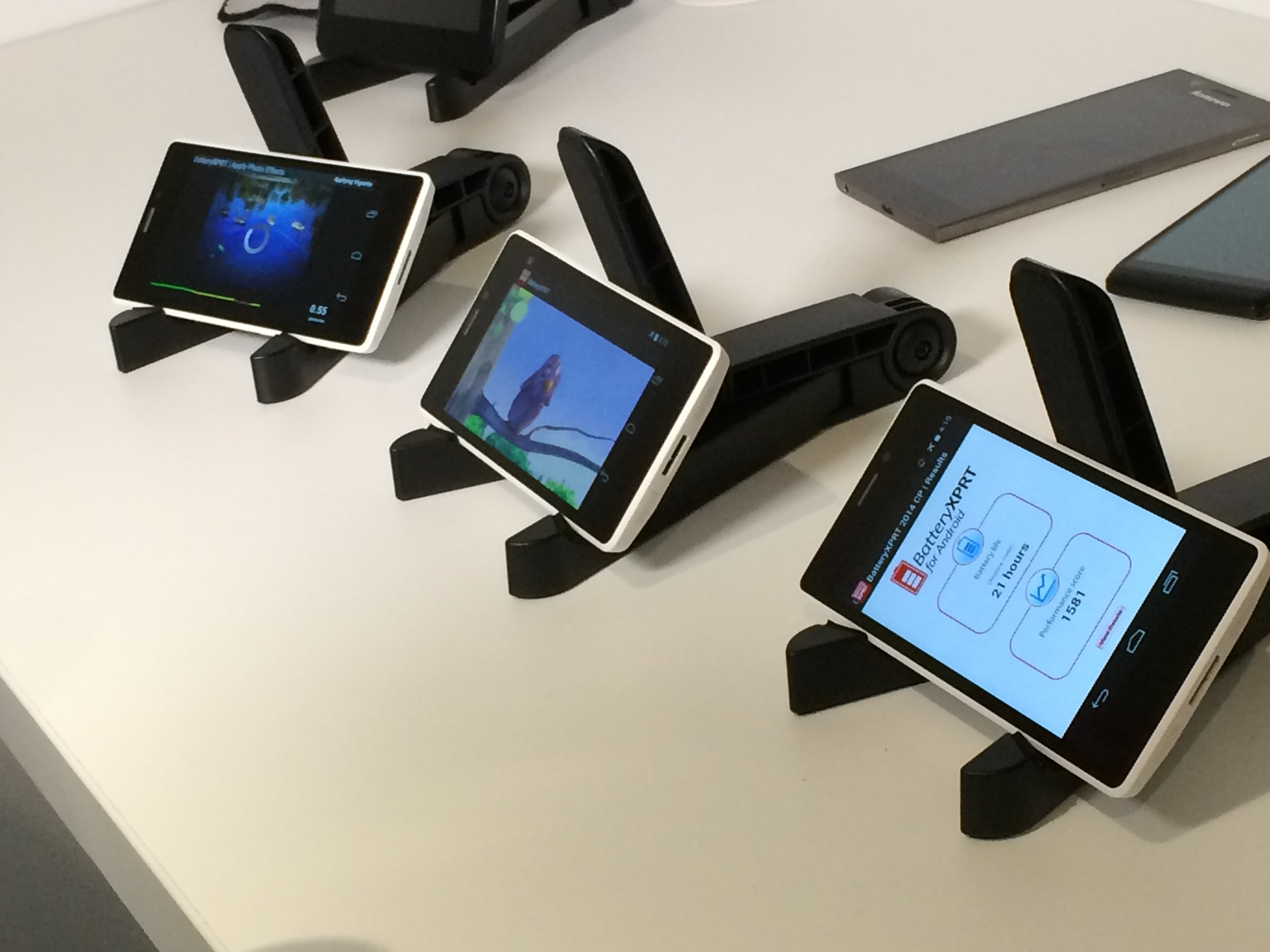
After months of careful preparation, Intel announced its dual-core Atom chip code-named Merrifield, a 64-bit chip that it says will come out in handsets during the second quarter. Not many device makers sell smartphones with Intel chips, and it remains unclear who will sell Intel-based 64-bit smartphones. But Intel has signed multi-year product deals with Asus, Lenovo and Foxconn, who will sell x86-based products including mobile devices.

intel merrifield moorefield reference phones row mwc 2014 feb Image: Melissa Riofrio

Intel showed off handsets running its next-generation Merrifield smartphone processors.

Closer competition to Apple will come from Qualcomm, whose new Snapdragon 615 eight-core and 610 quad-core chips will be in handsets by the fourth quarter. The new Snapdragon chips are similar to Apple’s A7 64-bit chips, with CPUs based on ARM’s 64-bit ARMv8 architecture. The Snapdragon 615 could be overkill for smartphones, but it does stand out, with features such as an integrated LTE modem, a video decoder for H.265 4K video, and 802.11ac Wi-Fi technology.

MediaTek, which typically supplies chips for lower-priced handsets, announced its own 64-bit chip for affordable high-end smartphones. The eight-core MT6752 has integrated LTE, 1080p video capabilities, 16-megapixel camera support and other features. Mediatek’s chip will become commercially available in the third quarter, though the company did not say when smartphones with its chips would appear.

galaxy s5 mwc

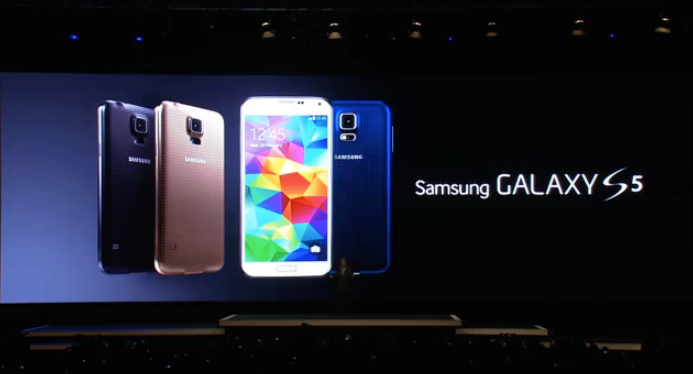
One disappointment at MWC was Samsung, which announced the highly anticipated Galaxy S5 smartphone with 32-bit chips. The S5 was supposed to be Samsung’s answer to the iPhone 5s, but it will launch initially with Qualcomm’s Snapdragon 801 and Samsung’s new Exynos 5 Octa 5422 eight-core chip, which is based on ARM’s older Cortex-A15 and A7 cores.

Nvidia said in January that its first 64-bit ARM chip, called Tegra K1, would be in smartphones and tablets by the second half of this year.

Apple setting the pace

After the iPhone 5s launched, industry observers questioned the benefits of putting 64-bit chips in smartphones. But smartphone makers are moving ahead, and none wants to be seen as lagging behind Apple, said Jack Gold, principal analyst at J. Gold Associates.

“I don’t think device makers are desperate, but they need to be on a par with Apple at least from a marketing perspective,” Gold said. “Being able to say they have 64 bit is important, at least at the high end of devices.”

Handsets could take nine months to a year to reach the market after a chip is announced, said Ian Ferguson, vice president of segment marketing at ARM.

When they arrive, the 64-bit chips will bring new features to smartphones and some applications will benefit, Ferguson said.

fingerprint

64-bit chips will help enable better fingerprint sensors, analysts say.

Performance improvements will be manifest in gaming applications, fingerprint sensing, facial recognition and speech interaction, Ferguson said. The algorithms related to those tasks can take advantage of 64-bit processing. Using 64-bit chips also allows for more than 4GB of memory, though smartphones don’t have that level of memory yet, Ferguson said. There won’t be a big difference in battery life for 64-bit smartphones compared with handsets today, he said.

The adoption of 64-bit also depends on having operating systems and applications available, analyst Gold said.

“64-bit is a game of chicken and egg, much like it was in the PC space. Do you come out with 64-bit chips first and then upgrade OS and apps to 64-bit, or the other way around?”

For MWC, Intel readied both its 64-bit smartphone processors and an OS to go along with it. The company for the first time showed a 64-bit version of Android running on smartphones during an on-stage demonstration of a Merrifield handset at MWC.

Google leads the development of Android and works with partners and the open-source community to optimize the OS for chips and handsets. But Intel took on a lot of the work on drivers and chipset support for 64-bit Android, putting in extra work since September to get ahead of its rivals.

Intel sees support for 64-bit Android on its x86 chip as an advantage over its competitors in the ARM camp, who are still waiting for a true 64-bit version. Qualcomm, Mediatek and other chip makers did not address support for 64-bit Android during their chip announcements. A Google spokesman declined to comment on 64-bit for Android.

The 64-bit ARM-based handsets that come out in the coming months may run a 32-bit version of Android, ARM’s Ferguson said. The ARM architecture has backward support for 32-bit applications.

[via pcmag]
--

Get Thousands of Visitors for Your Website

autosurf

Get Free Dot Tk Domain

Earn Money by Just Shortening URL